
On this page
Grouped Product Options
Description
Grouped Product Options for Magento 2 allows store owners to include simple products having custom options on a Grouped Product. This handy Magento 2 extension opens up an easy way of working with customizable product bundles.
Compatibility
Grouped Product Options module is compatible with the following Magento platforms:
| Community Edition (Open Source) | Enterprise Edition (Commerce) | Cloud Edition |
|---|---|---|
| 2.3.0 - 2.4.* | 2.3.0 - 2.4.* | 2.3.0 - 2.4.* |
Installation
Installing module using zip file
- Unzip and paste the extension file into your root Magento folder.
- Connect to your server by SSH.
- Go to your Magento root folder.
- To install the extension, perform this command:
php bin/magento setup:upgrade
php bin/magento setup:di:compile
php bin/magento setup:static-content:deploy
Composer installation
If you haven't installed any Aitoc module before, in that case, first, you will need to add your Aitoc composer repository. Please review the document to see how you can add the composer repository.
To install the module, you will need to run the following commands:
composer require aitoc/grouped-products-options
php bin/magento setup:upgrade
php bin/magento setup:di:compile
php bin/magento setup:static-content:deploy -f- To switch the extension on/off, perform these commands:
php bin/magento module:enable Aitoc_GroupedProductsOptions
php bin/magento module:disable Aitoc_GroupedProductsOptions- To update the module, use below command:
composer update aitoc/grouped-products-optionsHow module works
The module allows the simple products to have custom options to be part of Grouped Product. This allows customers on the front end to customize the entire grouped product using available options.
Simple product with Custom Options
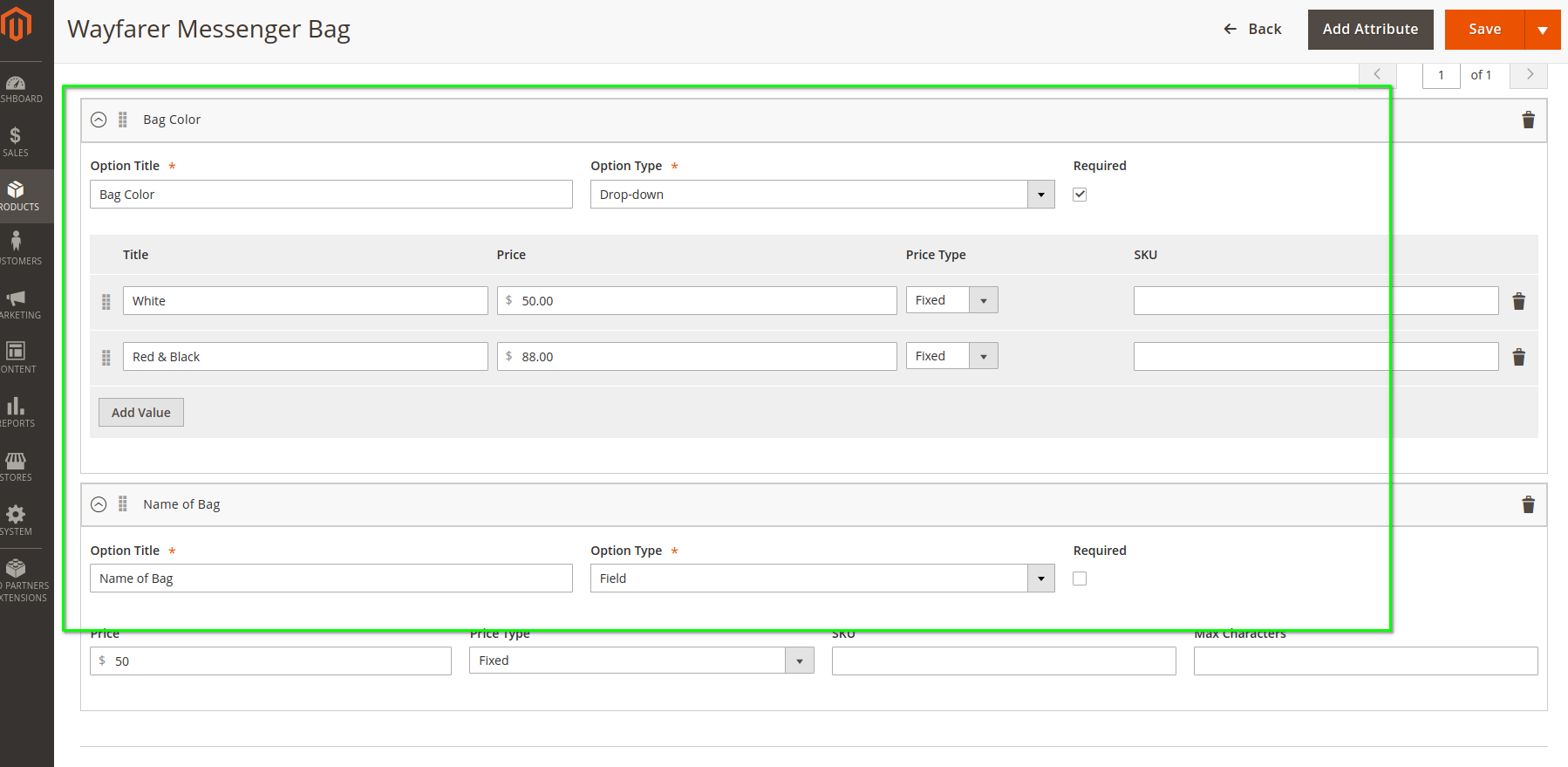
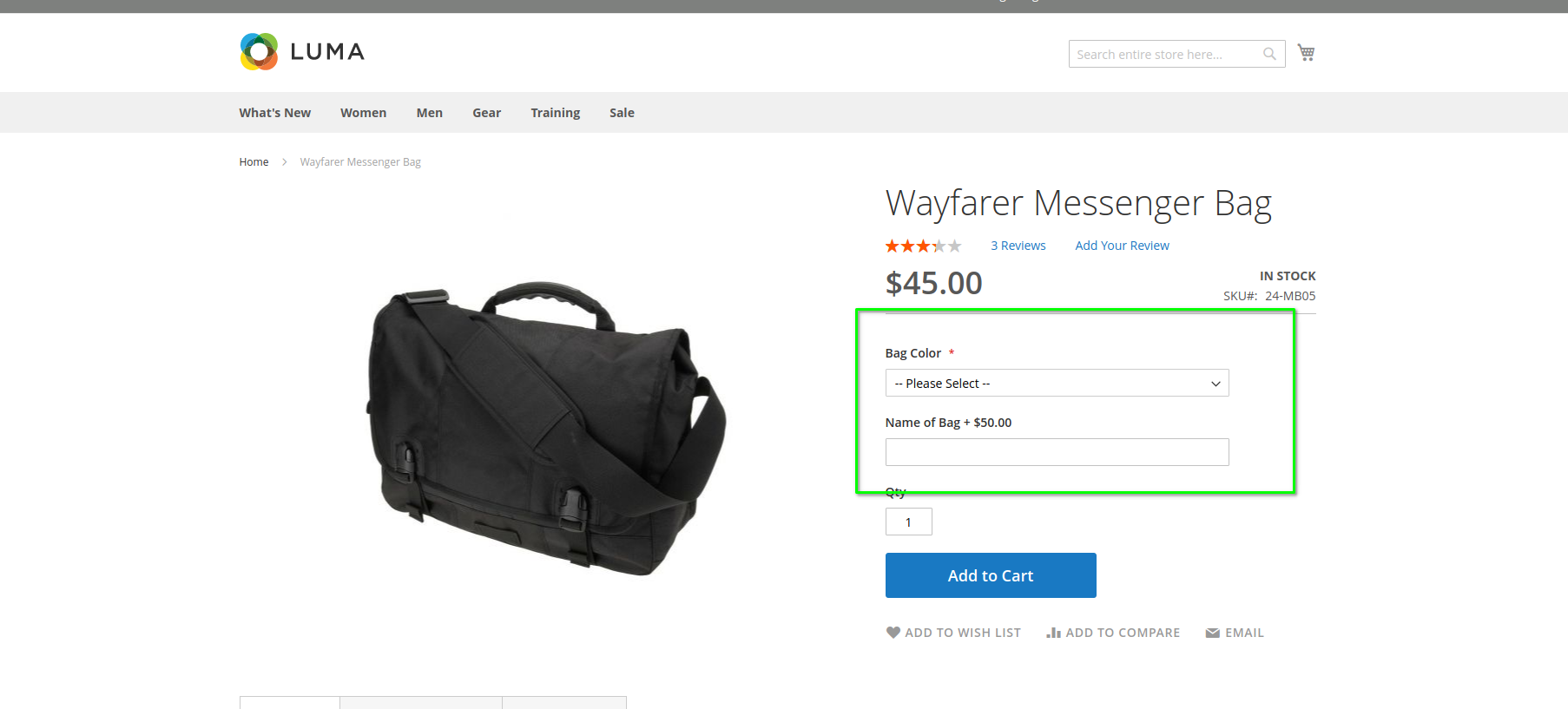
For each simple product, you can create different custom options which allow customers to customize the product or specify their needs or details. In the below example, the custom options are available for customers to select the color of the bag and add text to the bag if they want.
Assigning the simple products having custom options to Grouped Products
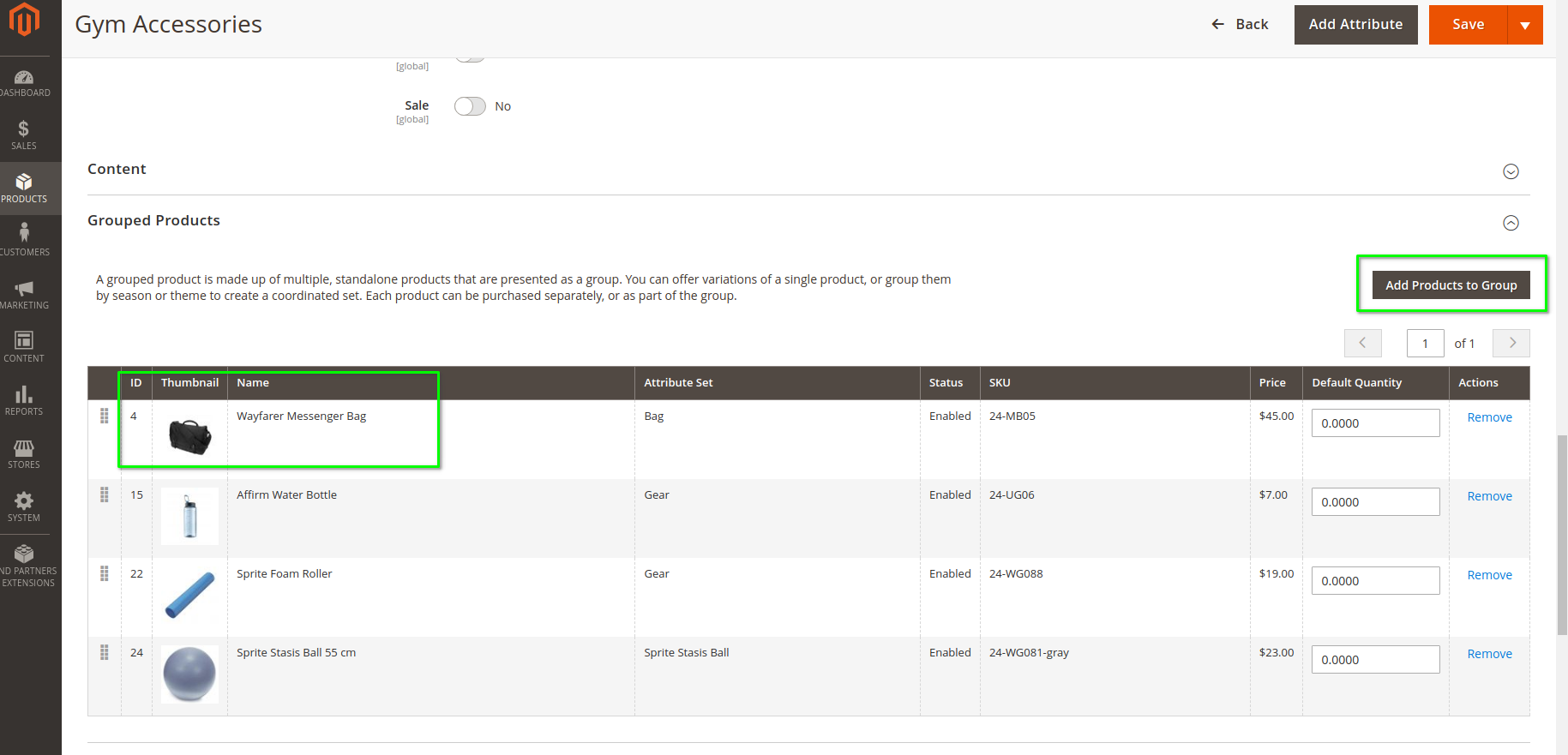
When creating or editing Grouped Products, under the "Grouped Products" tab, you will see the "Add Products to Group" button. Clicking on the button will open a popup from where you can select the product that you want to be part of Grouped Product. With the module's help, you can select a simple product with custom options from the popup.
Front-end Grouped Product
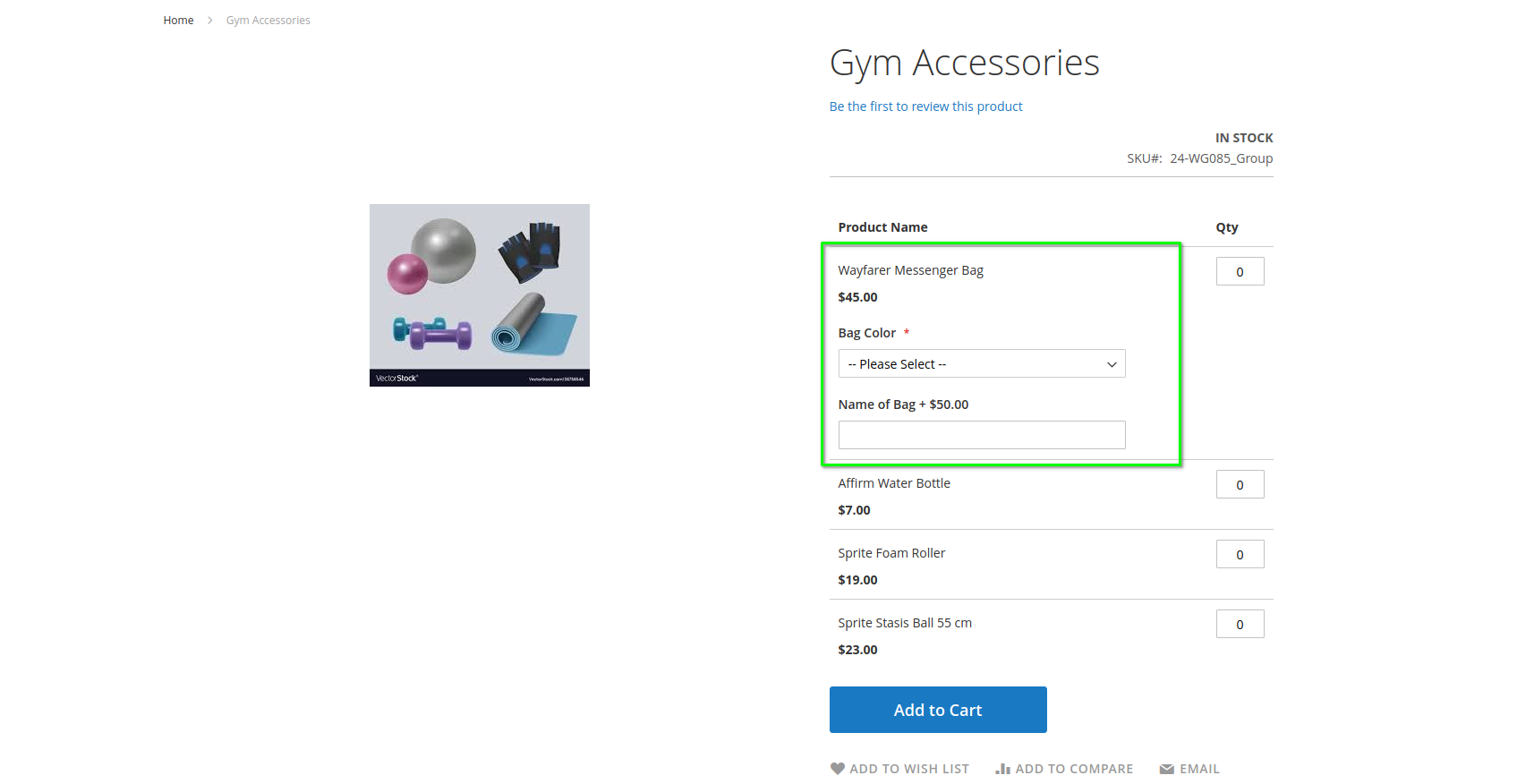
The product on the front end will display custom options created for a simple product. So the customers can select the custom options when buying the entire grouped product.
THANK YOU FOR CHOOSING AITOC EXTENSIONS!